Avery
English · Character
For visual novel and indie game developers
Paste a scene from your script. FullCastBook finds every speaking character, gives each one their own AI voice and hands back audio you can drop into a prototype, a demo build or a trailer.


Lewis Carroll
Alice's Adventures in Wonderland
Alice asks the grinning Cheshire Cat for directions — and gets none.
The Cat only grinned when it saw Alice. It looked good-natured, she thought; still it had very long claws and a great many teeth, so she felt it ought to be treated with respect.
Step-by-step guide
No card to sign up, nothing to install.
Hear an example
Generated from the script below with the studio's own voices and settings, one voice per speaker, joined the way an export joins lines. No edits afterwards.
Narrator · Kaito · Hana · Ms. Okada · Voices: Gemini 3.8 Flash TTS
Visual Novel Voice Acting
What you get, from manuscript to finished audiobook.
Script template
Replace the text in brackets with your own, paste it into the studio, and every speaker gets a voice.
One text box per line, speaker in capitals before a colon. A Section line before each scene or branch makes it a separate file in the ZIP export.
Section 1: [SCENE ID, e.g. day1_library]

NARRATOR: [WHAT THE PLAYER SEES AS THE BACKGROUND FADES IN]
[LOVE INTEREST]: (surprised) [FIRST LINE]
[PROTAGONIST]: [REPLY; delete if your protagonist is unvoiced]
[LOVE INTEREST]: [laugh] [LINE THAT SHOWS PERSONALITY]
[SIDE CHARACTER]: (calling from off-screen) [INTERRUPTION]
[LOVE INTEREST]: [whispers] [LINE JUST FOR THE PLAYER]
NARRATOR: [THE MOMENT BEFORE THE CHOICE]

Section 2: [day1_library_choice_a]

[LOVE INTEREST]: (pleased, a little shy) [REACTION TO CHOICE A]
[LOVE INTEREST]: [LINE THAT RAISES AFFECTION]

Section 3: [day1_library_choice_b]

[LOVE INTEREST]: (cool, guarded) [REACTION TO CHOICE B]
[RIVAL]: (smug) [LINE THAT ADDS TENSION]
[LOVE INTEREST]: [sigh] [LINE THAT CLOSES THE SCENE]
Each Section line starts a new chapter, and its title is read at the top of that file; trim it when you split the clips.
Use cases
Where authors and storytellers put it to work.

In practice


Demo performances. In the studio you cast from standard and premium voice lists.
English · Character
English · Character
English · Character
English · Narration
English · Narration
English · Narration
English · Creator
English · Creator
English · Narration
English · Narration
In depth
Visual novel voice acting turns text boxes into performances: the love interest teases, the rival snaps, the old librarian knows more than she says. Fully voiced games are expensive, so many indie developers ship with partial voice acting, voice only the key scenes, or none at all. AI voices change the first step. You can hear a scene voiced the day you write it, for a prototype, a demo or a trailer, and decide later what deserves a human cast.
FullCastBook reads the dialogue you paste, assigns every line to the character who says it, gives each character a different AI voice and keeps narration with a separate narrator. It is the same studio behind multi-voice text to speech, pointed at game scripts.
Prototypes are the easy win. A scene that reads well on the page can drag when spoken, and you only find out by listening. Temp voices let you test pacing, line length and whether two characters sound too alike before anyone records anything. It helps the writing too: hearing a character say a line usually tells you within seconds whether it sounds like them.
Demos and trailers come next: a handful of voiced lines on a store page or in a festival build makes characters memorable. Some developers keep AI voices in the released game; if you do, check each store's current rules first. Steam, for example, asks developers to disclose AI-generated content when they submit a game. Players have strong opinions here, so many teams offer a voice on/off option either way.
Engine scripts mix dialogue with code, so copy only the spoken lines into a simple script: the character name, a colon, then the line, like KAITO: Whose diary is that? Prose that describes the scene goes in as plain sentences and is read by the narrator. If your protagonist is unvoiced, which is common in visual novels, delete their lines before you paste so the audio has no gaps to fill later.
Branches need structure. Start each scene and each choice branch with its own heading line, such as Section 4: day2_choice_a. Every heading becomes a chapter, and each chapter becomes its own MP3 in the ZIP export, named in order. One text box per line keeps clips short and easy to trigger, which is also how players will hear them.
Be clear about what you get: FullCastBook exports audio per chapter, not one file per line of dialogue. There is no lip-sync, no real-time voice and no game-engine plugin. Most engines want a clip per line, so plan one extra step.
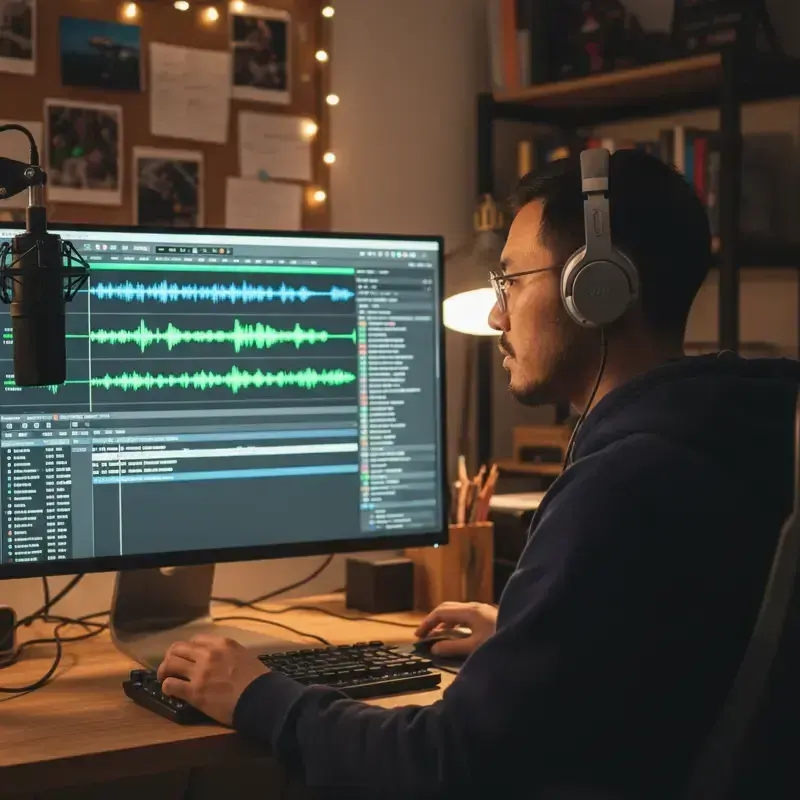
Lines inside a chapter are joined with short pauses, which makes them easy to split. In an audio editor such as Audacity, detect the silences between lines, check the labels and export each clip. Ren'Py can then play them with a voice statement before each line, or automatically through config.auto_voice once the files are named after the dialogue identifiers from the launcher's Extract Dialogue export. Ren'Py plays MP3 directly; other engines may prefer OGG or WAV, a one-click conversion in the same editor.
Keep a simple spreadsheet as you go: scene, line number, character, text and file name. It takes minutes per scene and saves hours later, when you replace a line, add a branch or hand the files to a human cast.
Players spend hours with each love interest, so their voices need to be distinct from the first line: one bright and quick, one low and dry, one soft and careful. Keep the narrator neutral and calmer than the cast. Side characters can share a smaller set of voices as long as two of them never appear in the same scene. Children and elderly characters need voices that read as their age, not adults putting it on.
Save emotional direction for the moments that matter: the confession, the betrayal, the bad ending. A note such as [voice breaking, trying to stay calm] does more on three key lines than on every line in the route. If a take misses, adjust the note and regenerate that line; AI voice emotion tags shows how to write them.
Your script is yours, and the audio files you export are yours to use under our terms of service, including in a commercial game. Tell players if voices are AI, follow each store's disclosure rules, and don't make AI voices sound like a specific real actor.
Temp tracks also make a later human cast easier. Actors can hear the tone you want, and you can swap a placeholder clip for their recording file by file without touching the script. Generating, regenerating and exporting use credits; see pricing for plans and top-ups.
Tips
Yes. Paste your dialogue into FullCastBook, give each character a voice and export the audio; the files you export are yours to use under our terms of service. Check your store's rules on disclosing AI-generated content before you release.
No. It exports one MP3 per chapter, as a ZIP when there are several. Start each scene with a Section line, then split each file into per-line clips in an audio editor; the lines are separated by short pauses.
Put a voice statement with the file name before each line, or name the clips after the dialogue identifiers from Ren'Py's Extract Dialogue export and set config.auto_voice so they play automatically.
Many visual novels leave the protagonist unvoiced so players project onto them, and voice everyone else. If you do the same, remove the protagonist's lines from the script before you generate.
They can follow direction. Add tags such as [laugh], [sigh] or [whispers] inside a line, or a note in brackets like [voice breaking]; if a take misses, change the note and regenerate that line.
Yes, as long as you keep the game in one project. The cast carries over from scene to scene, so a character sounds the same in every route.
Commercial use of your exports follows our terms of service. Stores set their own rules; Steam, for example, asks developers to disclose AI-generated content, so check each store's policy.
No. Signing up is free with no card and voice samples are free to hear, but generating and exporting audio use credits. See pricing.
Keep exploring
 ToolMulti-Voice Text to SpeechPaste a dialogue, a script or a scene and hear every speaker in a different AI voice, then download one MP3.ToolAI Voice Actors for ScriptsCast a radio play, short film or skit with AI voice actors: a voice per character, directed lines, one MP3.
 AudienceManga & Webtoon Voice OverTurn speech bubbles into a voiced episode: a narrator for the panels and a different AI voice for every character.
 AudienceAI Voices for AnimaticsScratch dialogue for animatics, storyboards and pitch reels: a voice per character, exported to time your cut.
 GuideAI voice emotion tagsBracket notes and sound tags that work in long-form narration, which voices follow them, and when to stop.
 AudienceAI Table ReadA screenplay or stage play read by a cast: a voice per character, action read or skipped, files for notes.
Paste a scene, give every character a voice and export the audio for your build. Free to sign up; pay with credits when you create.