Winston
English · Narration
Public-domain plays, every role voiced
Turn the public-domain text of Hamlet, Macbeth or any other play into a Shakespeare audiobook where every role has its own voice, stage directions are read or left out, and each scene is a chapter.

Lewis Carroll
Alice's Adventures in Wonderland
Alice asks the grinning Cheshire Cat for directions — and gets none.
The Cat only grinned when it saw Alice. It looked good-natured, she thought; still it had very long claws and a great many teeth, so she felt it ought to be treated with respect.
Step-by-step guide
From a public-domain text to one chapter per scene.
Shakespeare Audiobook
What you get, from manuscript to finished audiobook.
Use cases
Where authors and storytellers put it to work.
Kings, queens, lovers, clowns and a ghost or two. Demo performances; in the studio you cast from standard and premium voice lists.
English · Narration
English · Narration
English · Narration
English · Narration
English · Narration
English · Narration
English · Narration
English · Narration
English · Narration
English · Character
In depth
A play is almost nothing but dialogue. There is no narrator telling you who speaks; every speech is labelled with its character, and the text was written to be shared out among a company of actors. That makes a Shakespeare audiobook the cleanest full-cast job there is: one voice per role, a few stage directions, and the verse.
FullCastBook gives every role its own voice and keeps an optional narrator for the stage directions. The plays themselves are in the public domain, so the text costs nothing. The work is in the casting, the chapters and a careful check of who says what, and this guide covers each of them for teachers, students and anyone who wants a Hamlet audiobook, or a Macbeth, with more than one voice.
Shakespeare died in 1616, so the plays are in the public domain. A particular modern edition can still carry rights of its own, though: its introduction, notes and editorial choices are new work. The Folger Shakespeare texts, for example, are free to download for non-commercial use only. Project Gutenberg's texts are free to use in the United States; if you plan to sell an edition elsewhere, check the copyright status where you live.
Download the play as an EPUB or a plain-text file. Then cut the Gutenberg header, licence and contents pages, either in the file or in the import review, so the narrator doesn't read them. For a Shakespeare audiobook made for a class, that is usually all the preparation you need. For a novel-length classic instead, see the public domain audiobook maker.
Gutenberg's Hamlet opens with each speech prefix in capitals on its own line and the speech directly below. Act 1, Scene 1 begins: “BARNARDO. Who's there? FRANCISCO. Nay, answer me. Stand and unfold yourself.” Before it, a stage direction: “Enter Francisco and Barnardo, two sentinels.” Name on its own line, speech underneath: that is the layout to keep.
Speaker detection is AI-based and was built for novels, so check the script view before you generate. Look for three things: a speech given to the wrong role, a speech prefix such as “BARNARDO.” left over as a narrator line (delete it, or the narrator will announce every speaker), and roles with several names, like a king listed both by name and as “KING”. Fix any line's speaker in a click. Shakespeare full cast audiobook projects get long casts, so let the one-scene messengers and servants share a few voices. Writing a play of your own? An AI table read uses the same name-above-speech layout.
Every stage direction arrives as a narrator line, and there are two good ways to handle them. Radio-play style keeps the entrances, exits and the odd “Thunder and lightning” as short narrator lines, which helps a listener who can't see who has walked on. Pure-dialogue style deletes them, so the scene plays straight through like a recording of a performance. Either way, every spoken word of the Shakespeare audiobook stays in.
Gutenberg marks many exits in square brackets with underscores for italics, like “[_Exit._]”. Decide what to do with those before you generate: keep them as narrator lines or delete them. And keep the brackets for your own delivery notes, such as [whispered, urgent] on a line that needs it.
Most of the big speeches are in verse, and verse runs past the end of the line more often than it stops there. Voices read to the punctuation, which is usually what you want. Where a speech needs space, say so in the direction. Macbeth's “Tomorrow, and tomorrow, and tomorrow, / Creeps in this petty pace from day to day” (Act 5, Scene 5) wants something like [slow, hollow, exhausted], not a brisk read.
Prose scenes, like the gravediggers in Hamlet (Act 5, Scene 1), want the opposite: [brisk, conversational], with quicker exchanges. Listen to one speech, regenerate it with a different direction if it lands wrong, then move on; regenerating uses credits again, so settle the style on the big moments rather than every line.
In a plain-text or PDF file, chapters are found from headings like “Chapter 3” or “Part 2”, not from “ACT I” or “SCENE II”, so a play arrives as one long chapter or in parts of similar length. Split it at each scene in the import review and rename the parts “Act 1, Scene 2” and so on. In Word, mark each scene title as Heading 1 and every heading becomes a chapter. In an EPUB, chapters come from the contents; check that they line up with the scenes.
Once each scene is a chapter, the Shakespeare audiobook exports the way listeners expect a full-cast play audiobook to work: an M4B with a marker at every scene, one MP3 for the whole play, or a ZIP with one file per scene.
Shakespeare audio for students works best alongside the text. Play one act per lesson while the class follows the printed play, pause at a speech to talk about it, and send the scene files home for revision. Distinct voices help in exactly the places students get lost: crowded court scenes, mistaken identities, and quick exchanges with no stage directions.
Use the original text unless you have permission for something else: modern-English versions and side-by-side editions are new works with their own copyright. Free sign-up credits are enough to hear a sample scene, and the plans cover whole plays. For more on what a cast does for a book, listen to the examples on the home page.
You can start free: sign-up credits cover a sample scene or a short chapter, no card needed, and the text is free from Project Gutenberg. A whole play needs a paid plan; the audiobook cost calculator estimates it.
The plays themselves are; Shakespeare died in 1616. A modern edition's notes, introduction and editorial choices can still be under copyright, and some free texts, such as the Folger's, are licensed for non-commercial use only.
Yes. Every speaking role is detected and cast. Detection is AI-based, so check the speakers before you generate, and let small roles share voices when the cast is large.
They come through as narrator lines. Keep the ones that help a listener, like entrances and exits, and delete the rest so the scene plays as dialogue.
Only with permission. Modern translations and side-by-side editions are new works with their own copyright; the original text is free to use.
Hamlet, the longest play, runs to roughly 30,000 words, which is about three and a quarter hours at 155 words a minute; most plays are shorter. The audiobook length calculator works it out for any text.
Keep exploring
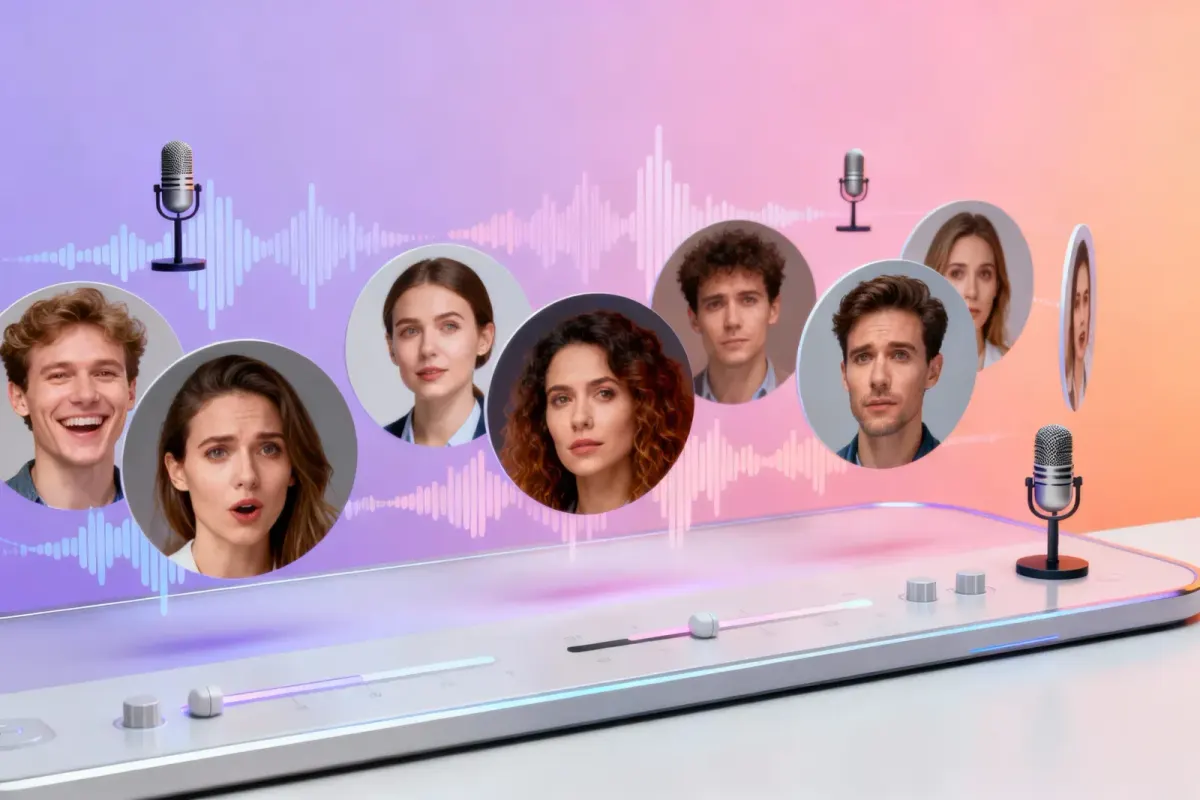 ToolPublic Domain Audiobook MakerTurn a classic from Project Gutenberg or Standard Ebooks into a full-cast audiobook, after checking its status where you publish.
 AudienceAI Table ReadA screenplay or stage play read by a cast: a voice per character, action read or skipped, files for notes.
 AudienceClassroom Read-Aloud AudioChapter-sized read-aloud files from texts you can use, with distinct voices so students follow the dialogue.GenreAI Audio Drama GeneratorTurn a story or a script into a performed drama: a voice per role, directions in brackets, one file per episode.
Upload a public-domain play, split it into scenes and hear a Shakespeare audiobook with a full cast. Free to start.
