Clive
English · Narration
Edit by ear
Upload a chapter from Word, Scrivener or Google Docs and hear it read by a narrator plus a voice for each character. Your ear catches what your eye skips, and the cast shows which lines readers could misattribute.
my-story.txt
TXT
Reading your file…

Lewis Carroll
Alice's Adventures in Wonderland
Alice asks the grinning Cheshire Cat for directions — and gets none.
The Cat only grinned when it saw Alice. It looked good-natured, she thought; still it had very long claws and a great many teeth, so she felt it ought to be treated with respect.
Step-by-step guide
From a draft chapter to listening notes in four steps.
Text to Speech for Writers
What you get, from manuscript to finished audiobook.
Use cases
Where authors and storytellers put it to work.
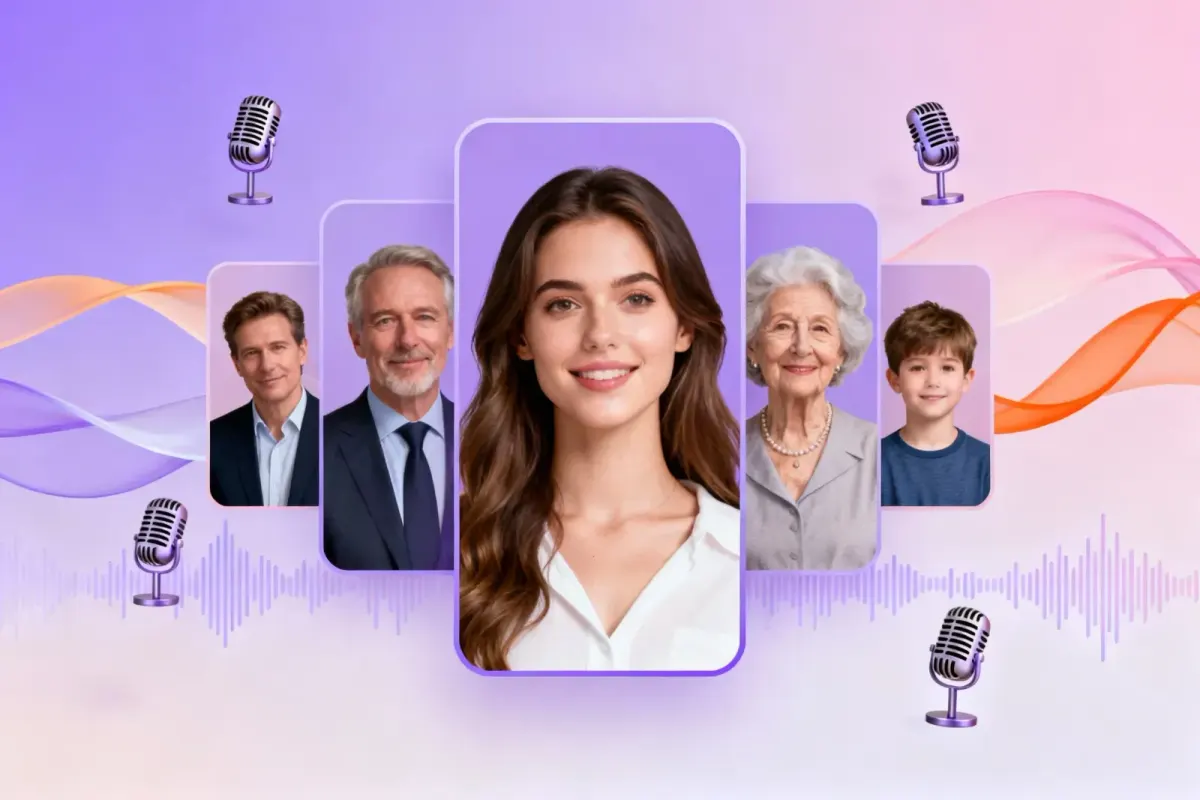

A few of the voice types you can audition for a listening pass. Demo performances; in the studio you cast from standard and premium voice lists.
English · Narration
English · Narration
English · Narration
English · Narration
English · Narration
In depth
When you reread your own draft, your brain reads what you meant to write. A voice reads what's actually on the page: the missing “the”, the sentence that runs out of breath, the word you used three times in a paragraph. That is why so many authors proofread by listening, and why text to speech for authors has become an editing tool rather than an accessibility extra.
FullCastBook goes one step further than a plain read-aloud. It casts the chapter: a narrator for the prose and a distinct voice for each character who speaks. That turns a listening pass into two checks at once, one for the sound of the sentences and one for the clarity of the dialogue.
Most writing apps give you a file the studio can read. In Word, save the chapter as a .docx; Heading 1 titles or lines like “Chapter 12” become chapters. In Google Docs, use File > Download > Microsoft Word (.docx). In Scrivener, choose File > Compile, set Compile for to Word or ePub, and untick everything except the chapters you're revising. An ePub compile carries its own contents page, so chapters usually arrive already separated; check the list either way.
Or skip the file and paste a scene into the studio. Upload only DRM-free files of your own writing. For details on each route, see Word to audiobook and Google Docs to audiobook.
Here is the part a one-voice reader can't do. Speaker detection is AI-based: it reads your tags and action beats the way an attentive reader would and assigns every line to a character. When it gets one wrong, that's often a sign a reader could too. Take this draft, written for this page:
Nell set the tray down. Ivo and Marguerite were already arguing. “You told her,” Ivo said. “Someone had to.” “Not you.” “Then who?” She poured the tea without looking at either of them.
Who says “Then who?” If the studio hands it to Nell because of the “she” that follows, you've found a real ambiguity: both women are in the room. Hearing it in Nell's voice when you meant Marguerite makes the problem impossible to miss. Fix the page by naming the beat (“Marguerite poured the tea…”), and the audio follows. Detection can also simply err, so treat each misattribution as a question about your prose, not a verdict on it.
Listening is best at the faults your eye glides over: doubled or missing words, a run of sentences the same length, three “just”s in a page, an accidental rhyme, a name that's hard to say. It also tells you whether dialogue sounds like speech. If a line makes you wince in a character's voice, it will make a reader wince too.
It has limits. A voice reads “their” and “there” the same way, so homophone slips need a spellchecker or a second reader. And a voice may stumble over an invented name that's spelled just as you intend; that's the voice, not your typo.
Many writers do their best editing away from the desk. Export one MP3 per chapter, or a ZIP of the chapters you're revising, and listen on a walk with a notes app open. Jot the timestamp and a word or two, then fix the manuscript when you're back. If you change a line and want to hear it again, edit it in the studio and regenerate just that line.
There's no single best text to speech app for writers, and free read-aloud tools are good at what they do. Word reads from the cursor in a single voice; Scrivener text to speech runs through Edit > Speech > Start Speaking on Mac and Windows, using your computer's built-in voices. Both are instant and suit line-by-line proofreading of a paragraph you've just fixed.
What they don't do is cast. One voice reads every character, so they can't tell you whether your dialogue attribution holds up, and the speech plays live rather than as a file you keep. That makes FullCastBook a complement rather than a replacement: built-in speech for quick line edits, a cast for whole chapters. If you want someone to read my book aloud with a voice for every character, that's the job a cast does.
Free credits on sign-up, no card needed, cover a short sample chapter, which is the right size for a first listening pass. Credits are counted by the characters voiced, so a revision chapter costs far less than a whole book; the plans cover longer manuscripts. Your text is used only to provide the service, never to train our own AI models.
When the draft is done and you want a sample to share with readers or an agent, see the audiobook sample generator. And for how the studio turns text into a cast step by step, read how it works.
It depends on the job. For line-by-line proofreading, the free read-aloud in Word or Scrivener is quick. To hear a whole chapter with each character in a distinct voice, and keep the audio, a full-cast tool such as FullCastBook fits better.
Yes. On Mac and Windows, Edit > Speech > Start Speaking reads your text with your computer's built-in voices. To hear a chapter with a cast and keep the audio, compile it to Word or ePub and upload it here.
Yes. Export one MP3 per chapter, or an M4B with chapter markers, and play it in any audio or audiobook app, offline.
It helps with two kinds: lines that don't sound like speech, and lines whose speaker is unclear. If speaker detection gives a line to the wrong character, check whether a reader could tell who was talking.
No. A voice reads homophones like “their” and “there” the same way, so it won't catch those. It's good at missing or doubled words, clumsy rhythm and repetition.
Your manuscript is used only to provide the service, and not to train our own AI models. Language and voice providers process the text to voice it; the privacy policy lists who they are.
Keep exploring
 ToolAudiobook Sample ChapterVoice a short sample chapter with a narrator and a voice per character on free credits, then decide about the whole book.FormatGoogle Docs to AudiobookDownload your Google Doc as DOCX, upload it, and hear the draft with a narrator and a voice for every character.
 FormatWord Document to AudiobookUpload the DOCX you write in: Heading 1 becomes chapters, every character gets a voice, and you export MP3 or M4B.
 AudienceManuscript to AudiobookProof-listen your draft, make a sample chapter, then produce the full-cast audiobook and keep the files.
 GuideAudiobook script formatHeadings the importer detects, dialogue punctuation, what to cut, and a template to copy.
Upload a chapter, check who says what and proof-listen with a cast. Free credits cover a short sample chapter.
